Martial arts attendance tracking that instructors can trust
A member books a class but can't make it, while someone else arrives without a reservation and trains. An attendance report that counts bookings gets both people wrong.
Decide how your gym confirms that someone trained and who corrects the record afterward. Instructors need to trust the visits behind an attendance count before they use it to review participation or prepare for a promotion discussion.
Decide what confirms attendance
If your academy records visits in a spreadsheet, start with the free gym attendance sheet. It keeps bookings, check-ins and the final attendance status in separate columns, with instructions for reviewing the roster after class.
A booking reserves capacity. A check-in records arrival or starts an attendance workflow. The gym then needs a rule for what counts as attending the class.
Some gyms have an instructor confirm the roster. Others use a kiosk or QR flow that marks the selected class attended. Either can work if staff know what the action does and someone checks the exceptions.
If a system automatically marks booked members attended, make the follow-up responsibility explicit. Someone must remove absences before the report becomes a record of training. Otherwise, the convenience of an automatic action hides the work of checking whether it was correct.
| Record | What it can tell you |
|---|---|
| Booking | The member intended to take a place |
| Check-in | The member completed the gym's arrival step |
| Confirmed class attendance | The gym recorded participation in that session |
| Cancellation or no-show | The reserved place did not become an attended class |
A full booking list can still leave empty mat space. Keep both figures available when you're deciding whether to add another session.
Give corrections a normal place in the day
Ask the instructor or designated staff member to check the roster after each session. Look for people who arrived without booking, reserved members who were absent, and entries assigned to the wrong class.
Corrections should be a routine part of keeping records, with appropriate staff permissions. Avoid solving an uncertain entry by creating another visit and hoping the report ignores the duplicate.
Keep class cancellation separate from a member's no-show. If the gym cancels because the instructor is unavailable, members did not fail to attend an offered class. The booking, credit and notification outcomes should reflect that distinction.
Before adopting attendance software, test a walk-in, a duplicate check-in and a cancelled session. Ask to see the resulting member history and the class report, not just the confirmation message at the kiosk.
Keep each discipline visible
Suppose a member's record shows 20 BJJ classes, eight Muay Thai classes and four open mats. The total is 32 visits, but an instructor reviewing their BJJ progress needs the breakdown. These are illustrative counts, not suggested promotion requirements.
Record the discipline and class type with each visit. A BJJ instructor should be able to separate fundamentals from advanced classes and open mat, then decide which sessions matter for the review. Keep the academy-wide total for questions about overall participation.
Use attendance to prepare a conversation about progress
Attendance shows how often someone trains and which classes they've taken. To assess their progress, an instructor also needs to see how they practise: can they apply a technique safely, and do they understand the position?
If your academy uses visit targets, treat reaching one as a prompt for review. Explain the target to members without presenting it as an automatic entitlement to a stripe or promotion. Competition eligibility rules and the academy's assessment are also separate questions.
For a review, put the current rank beside the relevant attendance period and the previous promotion date. Let the instructor inspect the underlying sessions instead of relying on a single progress bar.
Record the decision when the instructor makes it. A useful promotion history includes the discipline, belt or stripe awarded, date and awarding instructor. When a correction is necessary, preserve enough history to understand what changed.
Handle a joining member's history honestly
Someone transferring from another academy may report a belt and an approximate training history. Keep that information distinguishable from visits your own gym recorded and promotions your instructors awarded or verified.
Ask the member for the details needed for the gym's review, then let an authorised instructor confirm the record. Do not manufacture old attendance entries to make a progress counter match an expected level.
A member may also train at two academies. Their personal history and each gym's operational records serve different purposes. Check what the software shares, with whom, and under which permissions before assuming every instructor can see every visit.
Read the weekly report as an operating tool
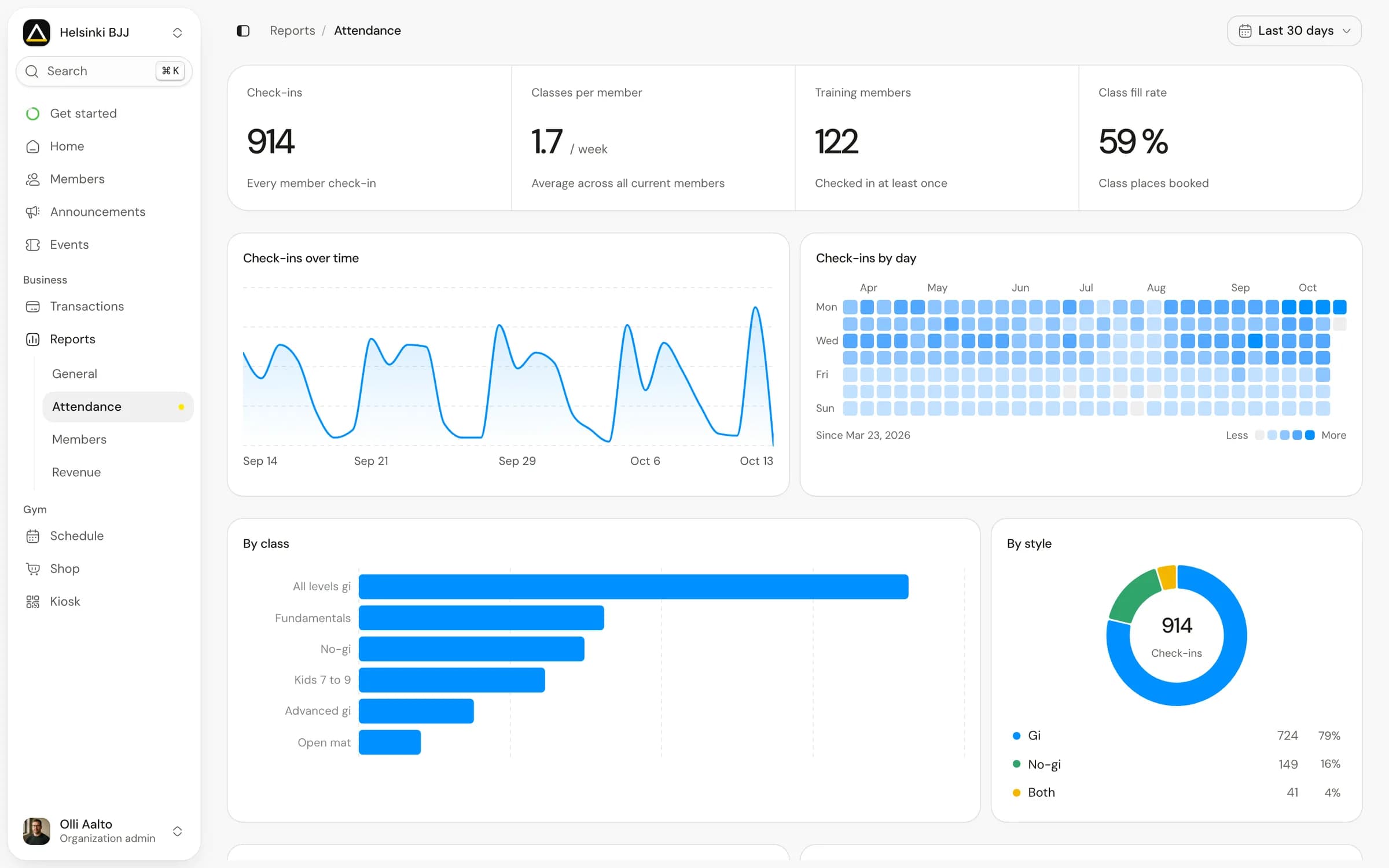
A class that repeatedly fills its booking list but has empty places on the mat needs a different response from a class with few bookings. Check cancellations and no-shows before adding another session. If the gap concerns a new member who hasn't returned, use the first-month review to plan a follow-up.
Choose the denominator before comparing classes. For example, a class with 12 confirmed attendances and capacity for 20 has 60% attendance-based utilisation. A booking-based fill rate could be different. Neither figure explains the gap by itself; inspect the cancellations, no-shows and check-in process before changing the schedule.
Matpass includes booking, QR and kiosk check-in, attendance history and per-discipline belt records. It distinguishes self-reported and verified rank information. Instructors make promotion decisions; the records help them prepare. Explore Matpass and join the waitlist.