What to check before switching martial arts billing software
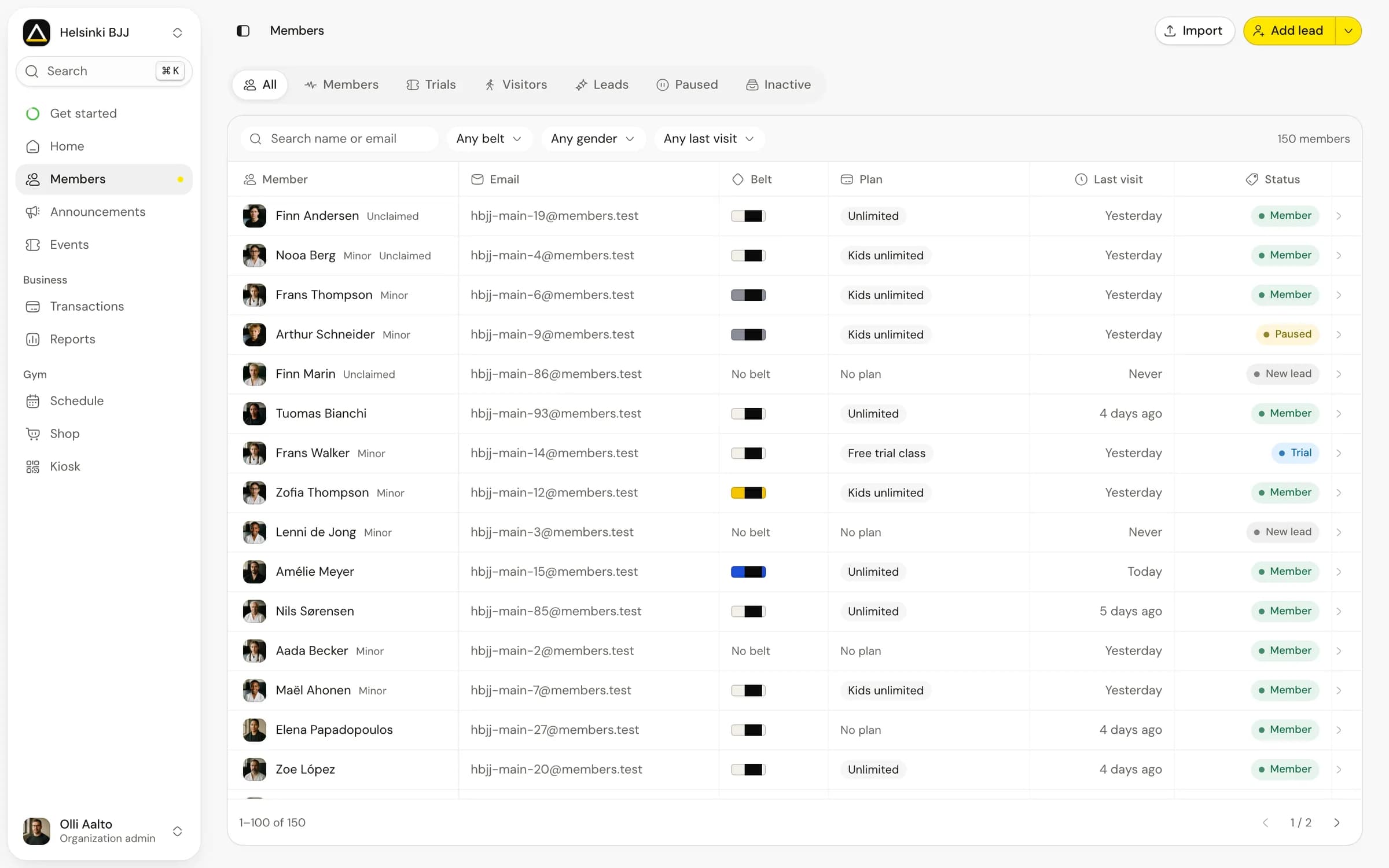
A member arrives for class with an active subscription and an unpaid invoice. While the instructor waits to start, front desk staff try to find out whether another payment attempt is scheduled.
Bring that situation to your next billing software demo. Ask the vendor to follow the invoice from the failed charge to the next action, including what the payer receives. You'll need those answers when a member is standing at the desk.
Separate the plan from its payments
The plan describes what a member can use; the subscription sets their recurring billing arrangement. Each invoice records an amount due, with payments showing the money collected against it. A change to one record doesn't necessarily change the others.
For example, a member can have an active subscription while the latest invoice remains unpaid. Someone with a class pack may have paid in full but used every visit. A cancellation may stop a future renewal while access continues through an already paid period.
Ask the vendor to show each case from the front desk view. Staff should be able to answer the member's question without interpreting a colour next to their name.
| Situation | The record needs to explain |
|---|---|
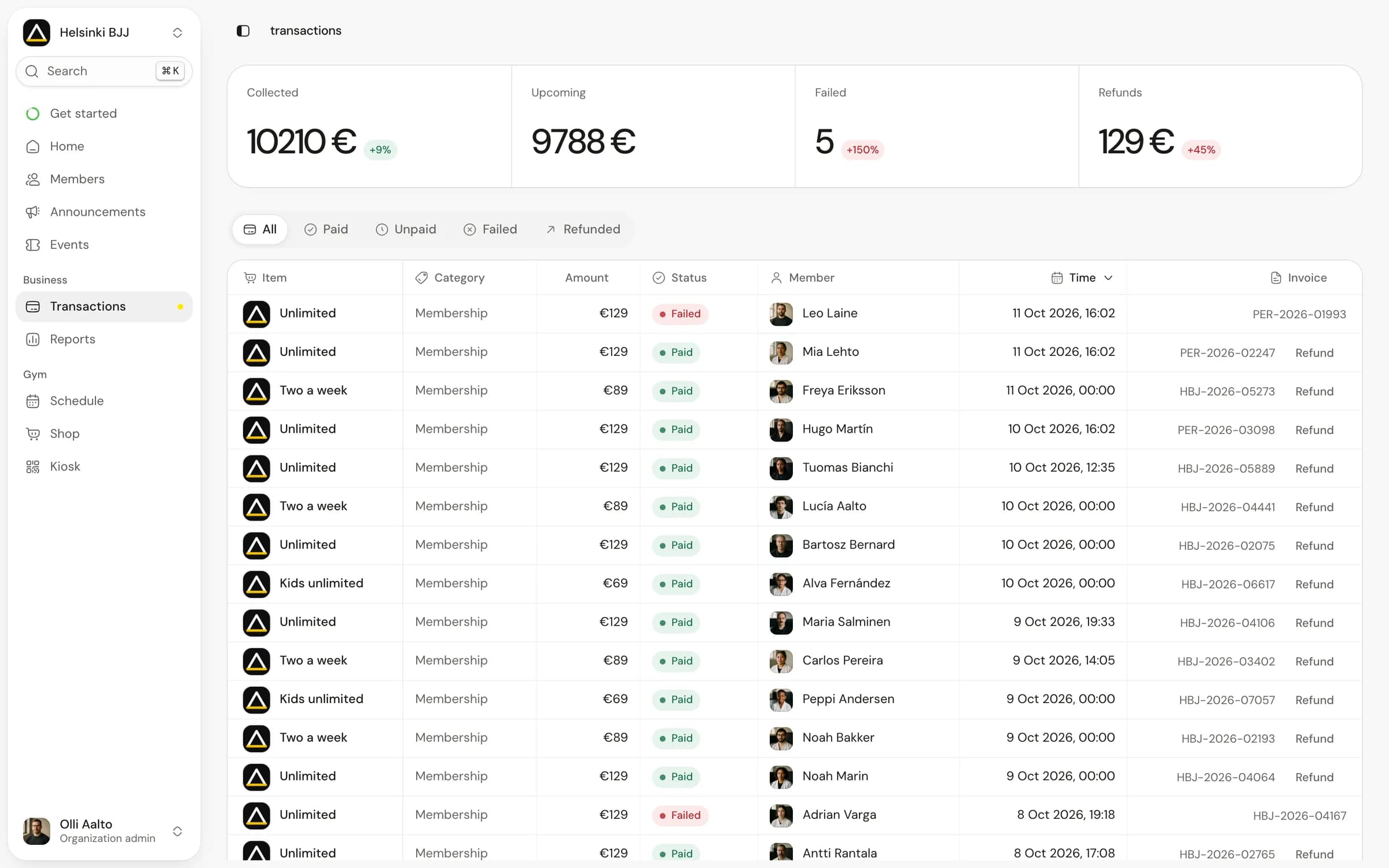
| Payment failed | Which invoice failed, what action is expected and whether another attempt is scheduled |
| Pause requested | When the pause starts, when it ends and what happens to billing and access |
| Cancellation scheduled | The final renewal date and the last date of access under the agreed policy |
| Refund issued | The original payment, refunded amount and any separate change to the membership |
| Class pack exhausted | The remaining visits and which attendances used them |
Test the policy you actually offer. If members can pause only from the next renewal, an immediate-pause demonstration does not answer your question.
Give failed payments an owner
Write down the path from a failed charge to resolution. It should identify who sees the issue, what the payer receives, and how staff know it has been resolved.
Ask whether the software or the payment processor manages retries. Check where the retry schedule is visible and what stops further attempts after a payment succeeds or a subscription ends. A staff member should not make another charge simply because the original invoice still appears on yesterday's list.
Decide how your agreed grace period affects access and make that behaviour explicit in the system. Staff need to apply a known policy consistently, with a clear route for an owner to review an exception.
The vendor can use a test payment method to show you a failed charge and its retry without charging a real member.
Check who pays for each membership
In a kids programme, the person training may never be the person paying. Open the child's membership, identify the guardian who pays, and check which person receives billing messages.
Then test a change affecting only one child. Does switching that child's plan leave the sibling's plan intact? Can staff explain which invoice belongs to which membership? A shared email address should not be the only thing holding the relationship together.
The same care matters when a member attends several locations. Ask whether the locations belong to one business or separate businesses, which business sells the plan, and whose payment account receives the money. Include that structure when you compare pricing.
Compare the full cost with your own numbers
In a hypothetical month with €15,000 in member payments, Matpass's published €49 base charge plus 1% comes to €199. Stripe adds its processing fees separately, so €199 is the platform portion of the bill.
Put those charges on separate lines in your comparison and use the same payment amount for each vendor. Add any costs for extra locations, imports or optional services. For refunds, ask which fees the provider returns and which it keeps.
The Matpass pricing page explains what counts as a business and how the percentage charge works. Check the current terms when comparing providers; this example is arithmetic, not a personalised quote.
Plan the billing handover before the import
An import might copy member records while leaving their payment details and subscriptions in the old system. Ask both providers what they can move before promising members that nothing will change.
Give one person responsibility for a handover list. For each active membership, record the current billing system, next charge date, amount, intended destination and any action the payer must take. Include pauses, discounts and end dates as separate fields rather than hiding them in notes.
Agree a cutover sequence with both providers:
- Export a dated record of the current memberships and billing arrangements.
- Confirm what can transfer and identify members who must set up payment again.
- Test representative records, including a paused membership and a family payer.
- Assign exactly one system responsibility for each next renewal before changing schedules.
- Reconcile the first billing cycle against the handover list and investigate differences.
The sequence depends on the processors and migration method. Confirm who will collect each renewal before cancelling anything, and keep the old records available until you've checked the first billing cycle.
Make the invoice view part of the demo
Finish by asking a staff member to explain a fictional member's position using only what the product shows: what they can attend, what they owe, what has been paid and what action remains.
If the explanation requires a spreadsheet assembled after the call, include that work in your decision. Useful billing software makes the current state understandable to the person answering the member.
Before choosing a billing system, take one completed handover row and ask the provider to explain its next charge. If you're considering Matpass, review the payment features and join the waitlist; the gym receives payouts in its own Stripe account.